How to remove subtitles from a video (without smudges)
If the subtitles can be turned on and off in the player, they are separate subtitles (an .srt file or a track in the video): just turn them off or export the video without that track.
If they are burned in (you see them in every player and can't turn them off), they are part of the video's pixels. To remove them, what was behind the letters has to be rebuilt.
A real example
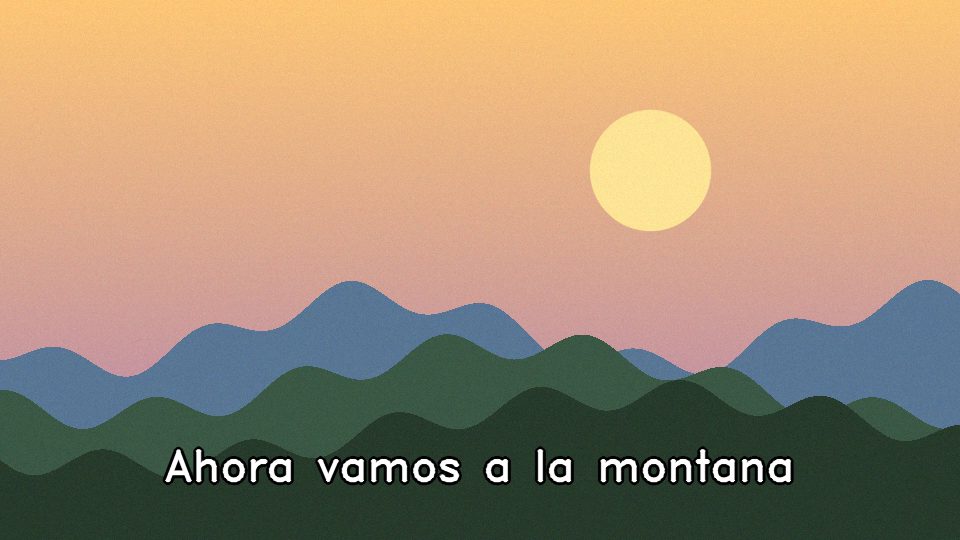

The same frame before and after removing the subtitles with eraseli. The hills move and the background is rebuilt by copying the real pixels from other frames.
Try with 3 free minutes
No card. 3 free minutes when you sign in with your email.
Step by step
- Check if you can turn them off. Open the video in VLC or your editor and look for a subtitle track. If there is one, disable it and you're done: nothing needs erasing.
- Upload the video to eraseli. If they are burned in, open the editor and upload the video (MP4, MOV, WEBM or MKV, up to 10 minutes).
- Choose “Erase subtitles”. The engine finds the subtitle band by itself and erases the text when it appears. If you prefer to decide, draw a box and stretch its block on the timeline.
- Erase with your free minutes. Tap Remove text: you get 3 free minutes when you sign in with your email.
- Download the result. The video keeps its original audio. The report tells you in which seconds text was erased.
Why isn't blurring or covering enough?
A blur or a black bar hides the subtitles, but you can tell something is on top. For it not to show, the background has to stay the background: eraseli copies the real pixels from other frames where that area is visible without text and only invents what is never seen.
It only touches where there is text
Many removers paint over the whole box for the whole video, even when the subtitle is gone. eraseli analyzes every frame before erasing: if a line lasts two seconds, only those two seconds are touched.
Frequently asked questions
Can I remove subtitles from a YouTube video that isn't mine?
Only with the author's permission. You are responsible for how you use the result (see the terms of use).
How much does it cost?
You get 3 free minutes when you sign up. After that you pay per minute: from 20 minutes for US$4.99, no subscription.
What about the audio?
It isn't touched: the final video has the original audio.